Rush View
Download APK Free For Android 2027
Rush View is a simple Android app. Learn about Rush View APK, features, Android, PC, TV, iOS support, safety, and installation.
Security Verified
Rush View
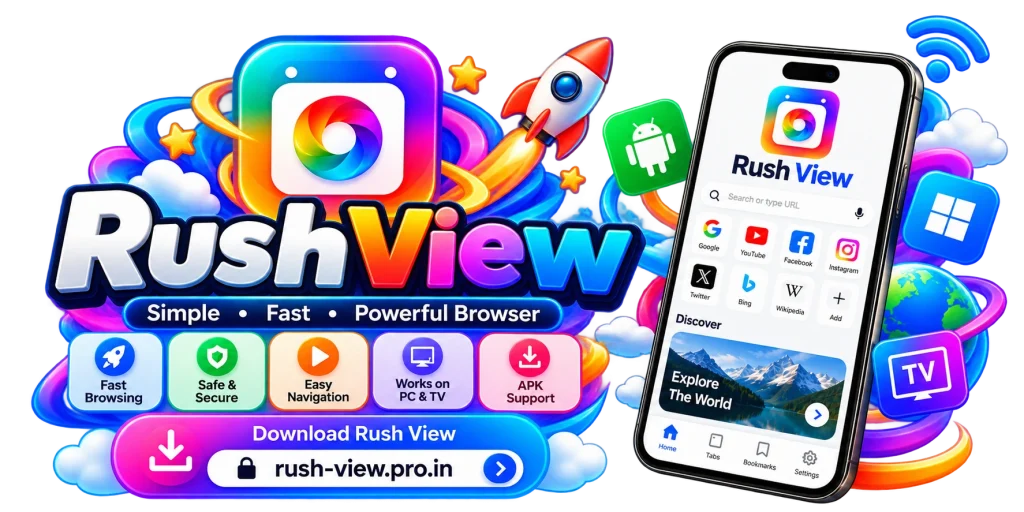
Rush View is an Android app that gives users a simple way to browse and access web content from a mobile device. If you are searching for Rush View, Rush View app, Rush View APK, or Rush View APK download, this guide covers the main things you should know before installing it.
Many users search for Rush View because they want a lightweight browsing experience. Others look for the Rush View APK latest version, Rush View for PC, Rush View for TV, or Rush View for iOS. The app can also appear in searches for Rush View website, Rush View web, and Rush View download.
This guide explains how the app works, what features you can expect, how to install the APK, and what to check before using it. It also covers compatibility, safety, common problems, and alternatives.
What Is Rush View?
Rush View is an Android-based browsing app designed for users who want a simple way to access online content. The app focuses on basic browsing and provides a straightforward interface.
The Rush View app can be useful for people who prefer a small and simple application instead of a browser with many extra tools. Its basic design can make navigation easier for users who want fewer distractions.
Like other Android applications, Rush View is distributed as an APK file outside normal app-store installation in some cases. Users who download the Rush View APK should check the source, file details, Android version, and permissions before installing it.
The name Rush View is sometimes used in searches for movie content. However, users should always check what a particular Rush View website or APK actually provides. Different websites can use similar names, and not every website offering a Rush View APK is connected to the original developer.
Rush View App at a Glance
Before installing Rush View, it helps to understand the basic information about the app.
Basic Information
- App name: Rush View
- Platform: Android
- App type: Browsing and web access application
- APK format: Available from third-party APK sources
- Android support: Depends on the app version
- Installation: APK installation can be used when the app is not installed through an app store
- Main use: Browsing and accessing online content
- PC use: Requires an Android-compatible method such as an emulator
- TV use: Depends on Android TV compatibility and controls
Always check the APK details of the exact version you are downloading. APK files can change between releases, and different websites may host different packages.
Rush View APK
Rush View APK is the Android installation file for the Rush View app. APK stands for Android Package Kit. Android uses APK files to install applications on compatible devices.
If you search for Rush View APK download, you may find several websites offering different versions. Some pages may show the latest release, while others may provide older versions.
Before downloading any Rush View APK, check the version number, file size, Android requirement, package information, and source. Avoid installing a file simply because its name contains “latest” or “premium.”
A genuine APK should also be scanned before installation. Your phone’s security tools can help detect suspicious files.
Rush View APK Download
A Rush View APK download can be useful when the normal installation method is not available. The process is simple, but users should take a few safety steps first.
Start by downloading the APK from a source you trust. After the download finishes, open the file from your Downloads folder. Android may ask you to allow installation from that source.
If the installation is blocked, open your Android security settings and check whether your browser or file manager has permission to install unknown apps. Enable the permission only for the source you are using.
After installation, turn the permission off again if you do not need it.
Never install multiple APK files from random websites just because they use the same app name. Fake APK files can contain unwanted software.
Rush View Latest Version
People often search for “Rush View APK download latest version” because they want the newest available release.
The latest version can provide updated compatibility, bug fixes, interface changes, or other improvements. However, newer does not always mean better for every device.
An older phone may work better with an older compatible version. If a new Rush View APK stops working after an update, users can check whether an earlier version is available from a reliable APK archive.
Always confirm the version number before installing. Do not rely only on labels such as “latest version” or “updated APK.”
Rush View Features
Rush View is designed around a simple browsing experience. Its features may vary depending on the version installed.
Simple Interface
A simple interface makes it easier to find the basic controls you need. Users who do not want a complicated browser may prefer this type of design.
The exact layout can change between versions, so buttons and menus may not look identical on every release.
Web Browsing
The main purpose of Rush View is web access. Users can open online pages and browse content through the application.
Performance depends on your phone, internet connection, website, and Android version.
Lightweight Experience
Apps with fewer features can sometimes feel easier to use on older phones. Rush View is often searched for by users who want a basic browsing tool without a large number of extra features.
The actual storage and memory use can vary between releases.
Browsing History
Depending on the version, browsing-related features may include access to recent pages or history controls. These tools can help users return to pages they visited earlier.
If privacy is important, review and clear your browsing data regularly.
Cache Management
Cached files can help pages load faster, but they can also use storage over time. Clearing cache can help when an app behaves strangely or shows outdated content.
Do not confuse cache with important account data. Clearing app data can remove saved settings or login information.
Rush View for Android
Rush View is primarily associated with Android devices. Android users can install the app through a supported installation method.
Before installing Rush View for Android, check your Android version. An APK may not work if your device is too old or if the app requires a newer Android release.
You should also keep enough free storage available. A lack of storage can cause installation errors even when the APK itself downloads correctly.
For the best experience, keep Android updated and use a stable internet connection.
How to Install Rush View on Android
Installing Rush View on Android through an APK is not difficult.
Step 1: Download the APK
Download the Rush View APK from a source you trust.
Step 2: Check the File
Look at the downloaded file name and size. Make sure it matches the version you intended to install.
Step 3: Allow Installation
If Android blocks the installation, open the security settings and allow your browser or file manager to install unknown apps.
Step 4: Install the App
Open the APK file and tap the Install button.
Step 5: Open Rush View
After installation, tap Open. You can then check the app settings and available features.
Step 6: Review Permissions
Only allow permissions that make sense for the app. If a permission seems unrelated to its basic function, consider denying it.
Is Rush View App Safe or Not?
One of the most common searches is “is Rush View app safe or not?”
Safety depends on the exact APK file and the source where you obtained it. The app name alone does not prove that every APK using that name is safe.
If you download Rush View from an unknown website, there is a higher risk of receiving a modified or fake file.
Before installation, check the file with your device’s security system. You can also compare the version, package information, and file details with a trusted APK listing.
Be extra careful with files called “Rush View Mod APK” or “Rush View Premium APK.” Modified applications are not the same as the standard release and can introduce additional security risks.
Do not enter sensitive passwords into an app or website unless you trust the service.
Rush View Mod APK
Searches for Rush View Mod APK and Rush View Mod APK download are common.
A mod APK is a modified version of an Android application. It may claim to offer premium features, unlocked functions, or changes that are not available in the standard release.
The problem is that users cannot always verify who modified the file or what was changed.
A modified APK can also contain unwanted code. It may request additional permissions or behave differently from the original application.
For this reason, users should be careful with any Rush View premium APK or modded release. If you only need the normal app, the standard version is easier to verify.
Rush View Website
The term Rush View website can refer to a website associated with the app or to websites that provide information and APK downloads.
Do not assume that every website using the Rush View name is official.
When visiting a Rush View website, check its domain carefully. Avoid websites that force multiple downloads, open suspicious pop-ups, or ask you to install unrelated applications.
A trustworthy download page should clearly explain what file you are downloading and which Android versions it supports.
Rush View on Chrome
Some users search for “Rush View website Chrome” or “Rush View web.”
If a service provides a web version, you may be able to access it through Chrome without installing an Android application. However, a website and an Android APK are different things.
If a website asks you to install an APK to access normal web content, check the source carefully.
Chrome can also be used to download an APK file, but downloading a file through Chrome does not make the file automatically safe.
Rush View for PC
Many users want to use Rush View for PC because they prefer a larger screen.
If there is no native Windows version of the app, an Android emulator can provide a way to run compatible Android applications on a Windows computer.
Popular Android emulators create a virtual Android environment on your PC. You can then install a compatible APK inside the emulator.
The performance depends on your computer’s processor, RAM, graphics hardware, and emulator settings.
If you have Windows 11, make sure virtualization and other emulator requirements are properly configured when needed.
Rush View for Windows 11
Rush View for Windows 11 is not the same as having a dedicated native Windows application.
If you see a website offering a “Rush View for Windows” EXE file, be careful. An APK is an Android application package, while an EXE is a Windows executable file.
Do not download an unknown EXE simply because a page calls it Rush View for Windows.
A safer approach is to use a trusted Android emulator when the Android version of the application is compatible with it.
Rush View for Laptop
A laptop can run Android applications through suitable Android emulation software.
The installation process normally involves installing the emulator, setting up the Android environment, and then installing the Rush View APK.
A laptop with enough RAM and a modern processor will generally provide a smoother emulator experience than a very old machine.
Close unnecessary programs if the emulator feels slow.
Rush View for TV
Users also search for Rush View for TV and Rush View for TV APK download.
Android TV devices can install Android applications, but compatibility depends on the application interface and device support.
An app designed mainly for touch screens may not work well with a TV remote.
If you install an APK on an Android TV device, check whether the controls are usable with a remote. You may also need a mouse or compatible input device for apps that do not support TV navigation.
Never assume that an Android APK will automatically work correctly on every smart TV.
Rush View for iOS
The search term “Rush View for iOS” is also common.
Android APK files cannot be installed directly on an iPhone or iPad. APK is an Android format.
If an official iOS version exists, it would normally be distributed through Apple’s supported app installation system.
Do not download an unknown iPhone profile or configuration file from a random website just because it claims to provide Rush View for iOS.
If there is no supported iOS release, using the service through a normal web browser may be the only practical option, depending on what the service provides.
Rush View Login
Some users search for Rush View login because they expect the app to have an account system.
Login requirements depend on the specific service and version. If an app asks for an account, use a strong password and avoid reusing passwords from banking, email, or social media accounts.
Never give your password to a website that looks unrelated to the service.
If login stops working, first check your internet connection. Then confirm that the app is updated and that the service itself is available.
Rush View Movies
The keyword Rush View movies appears in searches because some users associate the name with movie or video content.
However, users should check the actual service and content source before assuming that every Rush View page provides movies.
Content availability can vary by website, region, version, and service provider.
When watching online content, make sure you use services that have the right to distribute that content in your region.
Avoid websites that ask you to install several unknown applications before allowing access.
Rush View App Download Play Store
Users often search for “Rush View app download Play Store.”
Google Play is generally the preferred Android installation method because apps go through Google’s app distribution and security systems.
If Rush View is not available through the Play Store at the time you search, you may encounter third-party APK listings instead.
Before using a third-party APK, verify the version and source. Never assume that a website offering an APK is an official Google Play alternative.
Rush View Permissions
Permissions are an important part of APK safety.
Before installing Rush View, review what access the app requests. A browsing application may need certain access for normal functions, but unnecessary permissions deserve attention.
If an APK asks for access that does not seem related to its purpose, stop and investigate before continuing.
Android also lets users review and change many permissions after installation.
Regularly checking app permissions is a simple way to improve device privacy.
Rush View Pros and Cons
Pros
- Simple app concept
- Easy APK installation process
- Useful for Android users looking for a lightweight browsing option
- Can be tested on compatible Android devices
- Android emulator options may allow PC use
- Different APK versions may be available from archives
Cons
- APK sources can vary in trust
- Compatibility depends on Android version
- Third-party APK installation needs extra care
- Mod APK files can create additional security risks
- PC use may require an emulator
- Android APK files cannot be installed directly on iOS
Common Rush View Problems
Even when an APK installs correctly, users may experience problems.
Rush View APK Not Installing
First check whether your Android version supports the application.
Then check available storage.
If both are fine, the APK may be damaged. Download the file again from a reliable source.
App Keeps Crashing
Restart your phone and open the app again.
If the problem continues, clear the app cache.
You can also check whether a newer compatible version is available.
Rush View Is Slow
A slow internet connection can affect web content.
Close background apps and check your connection.
Older phones may also have limited memory, which can affect performance.
APK Installation Blocked
Android can block APK installation from unknown sources.
Check the permission for the browser or file manager you used to open the APK.
Enable it only when necessary.
Not Enough Storage
Delete unused files or applications and try again.
Remember that you need enough free storage for both the APK and the installed application.
Website Does Not Open
The problem may be related to the website rather than Rush View.
Try opening another website.
If other websites work normally, the original website may be offline or unavailable.
Apps Like Rush View
If Rush View does not meet your needs, you can consider other browsers and web-viewing applications.
The right alternative depends on what you need.
If you want privacy, look for a browser with strong privacy controls.
If you want speed, compare browsers based on performance and memory use.
If you want content access, check whether the service is available legally in your country.
Do not install an app only because a website claims it is a “Rush View alternative.” Check the app’s actual features first.
Tips for Using Rush View Safely
Always download APK files from a source you trust.
Check the application version before installing.
Keep Android security features enabled.
Do not disable all security settings just to install an APK.
Review app permissions.
Avoid modified APKs from unknown sources.
Do not enter sensitive information into suspicious pages.
Keep your phone and browser updated.
Delete APK files after installation if you do not need them.
If an app suddenly shows unusual ads, redirects, or pop-ups, uninstall it and scan your device.
Frequently Asked Questions
What is Rush View?
Rush View is an Android application associated with simple web browsing and online content access. The exact features can vary by version.
What is Rush View APK?
Rush View APK is the Android installation package used to install the application outside the normal app-store process.
How do I download Rush View APK?
Find a trustworthy APK source, check the version and Android requirements, download the file, scan it, and install it using Android’s APK installation process.
Is Rush View app safe or not?
Safety depends on the exact application file and its source. Avoid unknown or modified APKs and check the file before installation.
Is Rush View available on Play Store?
Play Store availability can change. If you cannot find the app in Google Play, do not assume that every third-party APK site is an official source.
Can I use Rush View on PC?
You may be able to use a compatible Android version through an Android emulator. A dedicated Windows version is a separate matter.
Can I use Rush View on Windows 11?
If the Android version works with an Android emulator, it may be possible to use it on Windows 11. Compatibility depends on the emulator and app version.
Can I install Rush View on Android TV?
It depends on the Android TV device and the app version. Touch-focused applications may not work well with a TV remote.
Is Rush View available for iOS?
An Android APK cannot be installed on iOS. Only a supported iOS version can be installed through Apple’s supported methods.
What should I do if Rush View APK is not installing?
Check your Android version, available storage, installation permissions, and APK integrity. Downloading the file again can help if the original file was incomplete.
Is Rush View Mod APK safe?
A mod APK is modified by a third party. Its contents cannot be assumed to be the same as the standard application, so extra caution is needed.
Can I use an old Rush View APK?
An older APK may work on an older Android device, but old versions can have compatibility and security limitations.
Conclusion
Rush View is mainly searched for as an Android application, with users also looking for Rush View APK download, Rush View for PC, Rush View for TV, and Rush View for iOS.
The easiest way to avoid problems is to understand what type of file you are downloading and whether your device supports it.
Android users should check the APK version, Android requirement, file source, storage space, and permissions before installation.
PC users should remember that an Android APK is not a native Windows program. An emulator may be required.
TV users should check whether the application works properly with their device and remote.
iPhone users cannot install Android APK files directly.
Most importantly, be careful with Rush View Mod APK and Rush View Premium APK files. A modified file can come from an unknown source and may not have the same security level as a standard release.
If you decide to use Rush View, check the exact version, use a trusted download source, keep your device protected, and review permissions before giving an application access to your data.